Account
Update your profile
Three steps
Open Account
Choose Account under Account in the sidebar.
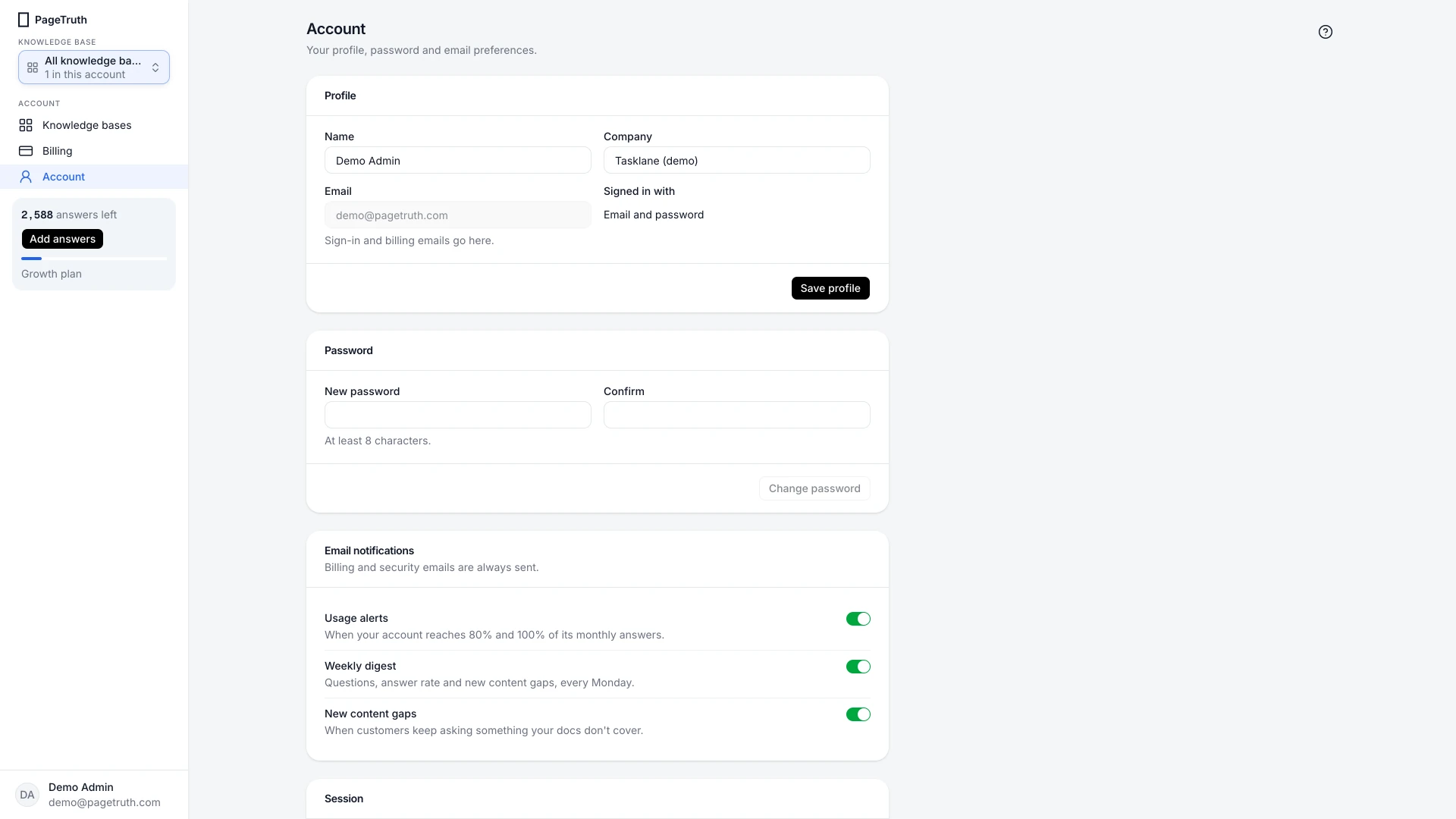
Change your name or company
Edit Name or Company, then choose Save profile.
Check your email and sign-in methods
Email is where sign-in and billing emails go. Signed in with shows the methods your account uses: Google, Microsoft or email.
You're done when
Your new name shows in the sidebar's account menu.
If something's not right
I need to change my email address
The email can't be edited here. Write to support@pagetruth.com from your current address and we'll move your account.
I want to delete my account
Write to support@pagetruth.com and we'll delete your account and all its data. The address is also under Session on this page.
Was this helpful?