Create an API key
API keys let your servers ask questions with the Answer API. They're secret: keep them out of web pages and apps.
Before you start
- A Growth or Scale plan. On other plans the section says the API is part of the Growth plan and above.
- You're an owner or admin of the knowledge base.
Three steps
Open API keys
Choose Settings in the sidebar and scroll to API keys.
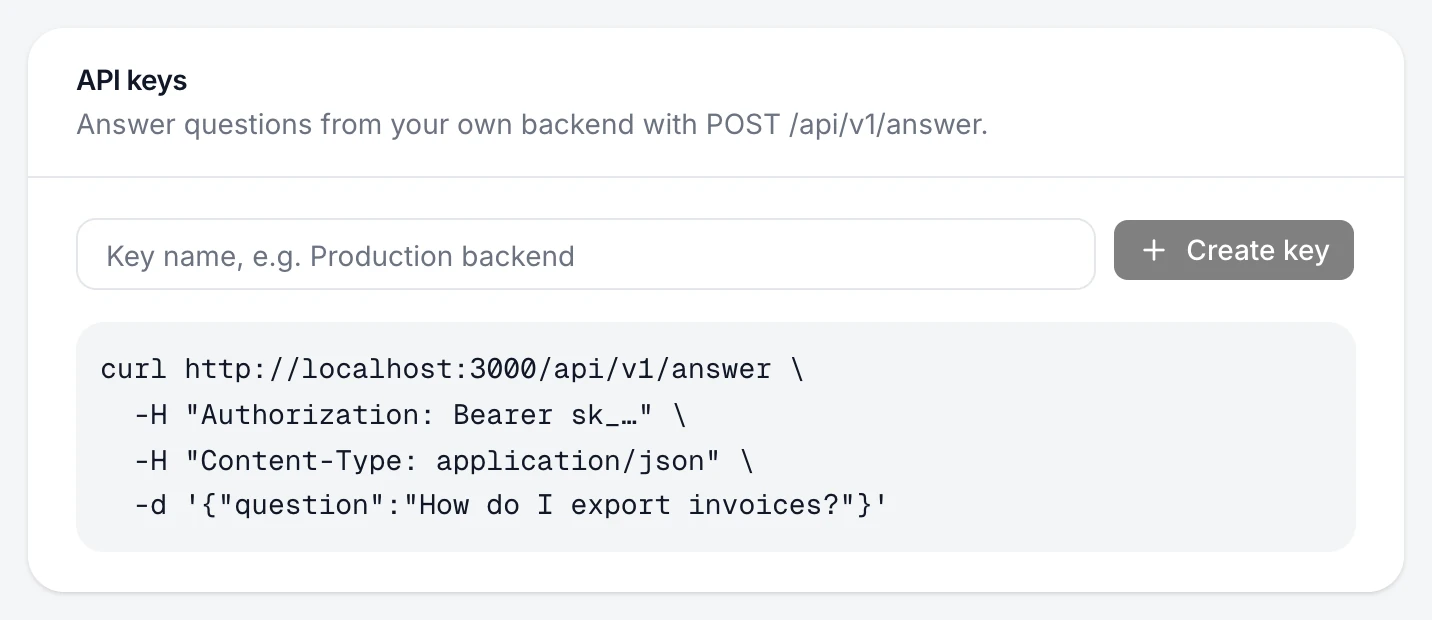
Name the key
Type a name that says where it'll be used, for example "Production backend".
Create it and copy it
Choose Create key, then Copy. Copy this key now: it won't be shown again. Store it in your secrets manager or environment variables.
The key is listed by name, and a test request with it returns an answer.
Turn it off
Choose Revoke on the key. Anything using it stops working immediately. To rotate a key, create the new one first, switch your servers to it, then revoke the old one.
If something's not right
I lost the key
It can't be shown again. Create a new key and revoke the lost one.
Can I use the key in my front end?
No. Anyone can read a key in front-end code. In the browser, use the widget, whose public key is safe to publish.