Assistant
Hand off to your support team
Customers should never hit a dead end. When the docs don't have the answer, PageTruth offers your support channel instead.
Four steps
Open Hand off to your team
Choose Assistant in the sidebar and scroll to Hand off to your team.
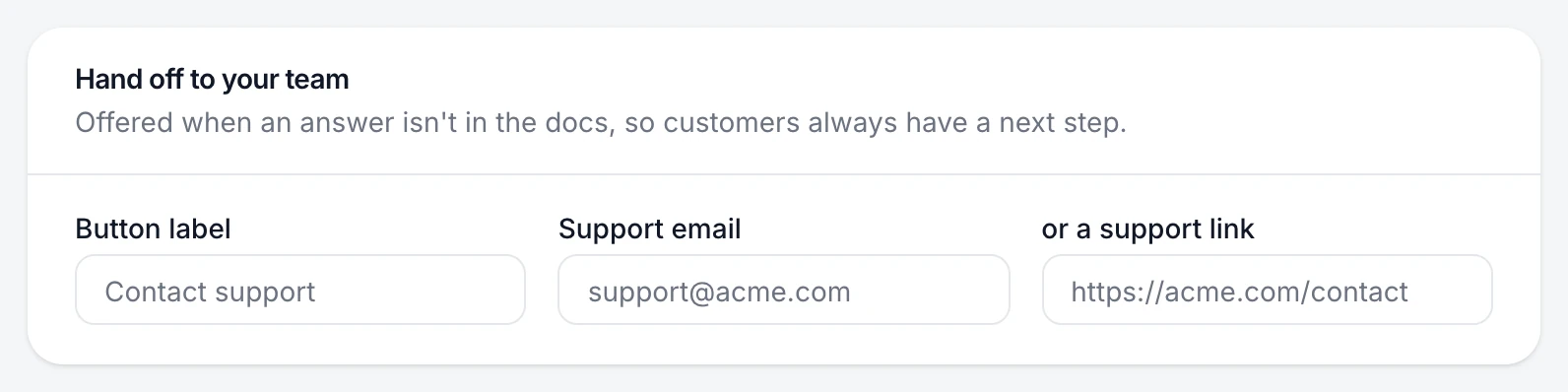
Name the button
Button label is what customers see, for example "Contact support".
Choose where it goes
Enter a Support email to open a new email to that address, or a support link to send customers to your contact form or ticket page.
Save
Choose Save changes.
You're done when
Asking something your docs don't cover shows your button under the fallback message.
If something's not right
Where do handed-off conversations show up?
On Conversations, filter by Handed to support to see every conversation where the button was offered.
Does the button show when we hit our spending cap?
Yes. At the cap, customers see your hand-off button instead of an answer. See Set a monthly cap.
Was this helpful?