Import your docs site
If your docs already live on a website, import them. Answers then cite the page on your site, and you can fetch it again whenever it changes.
Watch it done · 0:58
Read the transcript
0:01Here's how to bring your docs into PageTruth.
0:05Knowledge is everything your assistant can answer from, and every answer cites the page it used.
0:12To import your docs site, paste a single page, or a sitemap to bring in the whole site.
0:19PageTruth reads each page and keeps a link back to it. Each page counts as one source.
0:26Imported pages are listed here. When your docs change, fetch a page again and it's read again.
0:34You can also upload PDFs, Word documents, Markdown or plain text. Scanned PDFs are read too.
0:42Or write articles right here, in Markdown. They appear in your help center as well.
0:49Publish an article, and it's searchable within a minute.
0:53Your docs are in. Next, put a help center in front of your customers.
Before you start
- The address of a page, or of your sitemap (often
https://docs.acme.com/sitemap.xml). - The pages are public. PageTruth can't sign in to read pages behind a login.
Four steps
Open the Websites tab
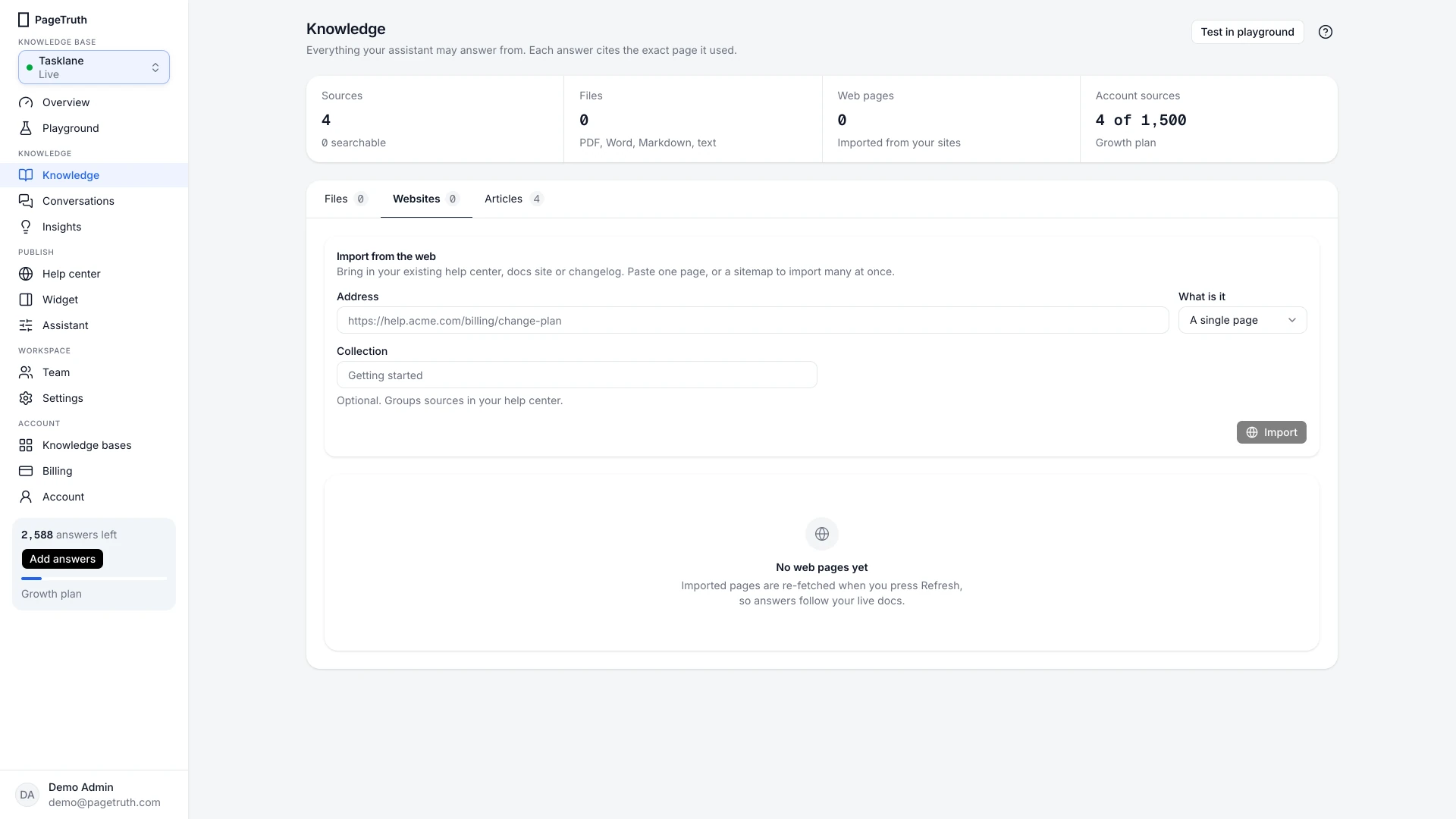
Choose Knowledge in the sidebar, then the Websites tab.
Enter the address
Under Import from the web, paste the Address. Under What is it, choose A single page or A sitemap.
Set a collection and a page limit
Collection is optional. It groups these pages in your help center, for example "Getting started".
For a sitemap, set Pages to import: up to 200 per import. Each page counts as one source towards your plan.
Import
Choose Import. Each page appears in the list as PageTruth reads it, then shows Indexed once it's searchable.
The pages show Indexed and a question in the playground cites one of them.
If something's not right
The import stopped before every page
Your plan's source limit was reached. Upgrade on Billing to import the rest, or import the most useful pages first.
A page shows Failed
The page couldn't be fetched or had no readable text. See A website import failed.
My sitemap has more than 200 pages
An import takes the first pages the sitemap lists, up to 200. Importing the same sitemap again refreshes those pages rather than duplicating them. For pages beyond the first 200, import a smaller sitemap for that section of your site, or import the pages one at a time.